 Dockspan
Docker & Kubernetes,
organized by project.
Dockspan is a fast desktop manager that puts your project folder at the center. Compose, containers, images, volumes and Kubernetes clusters in one lightweight app.
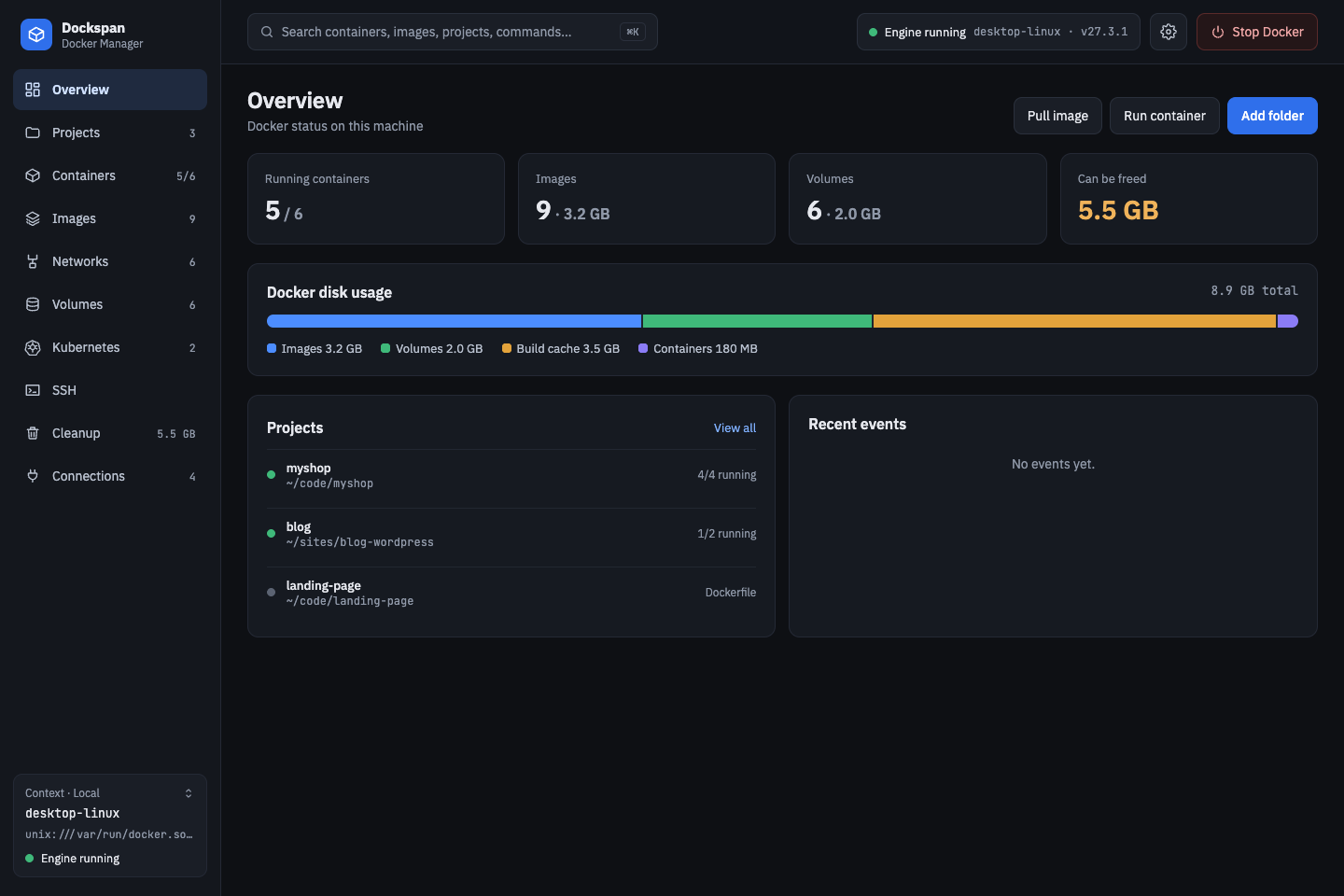
Why Dockspan?
Project-first
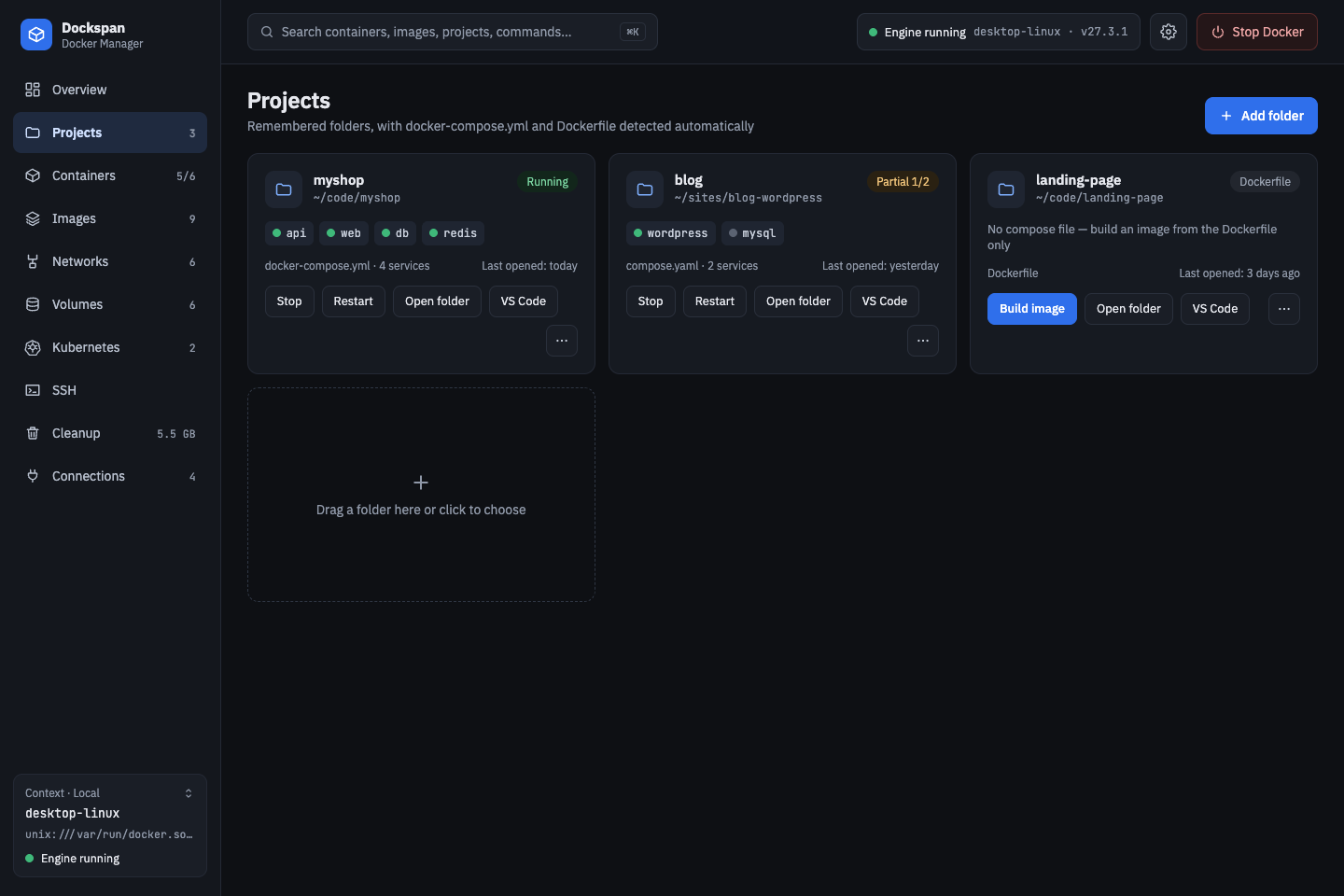
Add a folder with a Compose file or Dockerfile and manage it as one unit: up, stop, restart, down, edit files.
Docker + Kubernetes
Containers, images, volumes and your kubeconfig clusters side by side.
Shares your docker contexts
Connections are real docker contexts, so the docker CLI sees them too.
Any engine
Local socket, SSH, TCP+TLS and WSL2.
Lightweight
Tauri + Rust instead of a bundled browser; no heavy background services.
Secrets stay in Rust
The webview never touches the socket or your kubeconfig; .env values are masked.
Features
Projects
Manage a whole Compose project at once.
- Folders are detected automatically (docker-compose.yml, Dockerfile).
- One-click compose up / stop / restart / down.
- Browse and edit files; .env hides sensitive values.
Containers
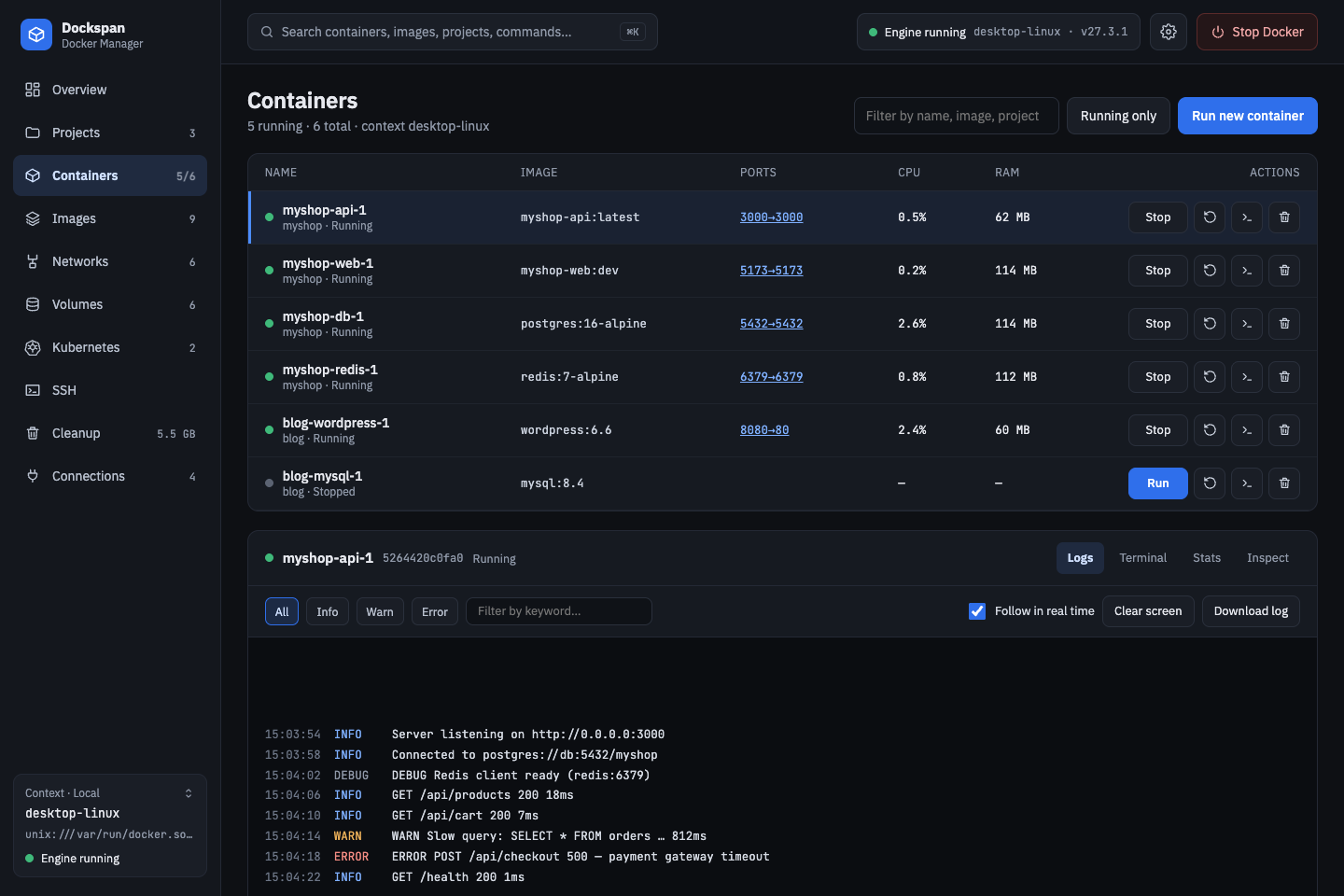
Logs, terminal, stats and inspect for each container.
- Realtime logs filtered by level and keyword.
- Built-in xterm.js terminals that survive page changes.
- Create, start, stop, restart, delete; CPU and RAM at a glance.
Kubernetes
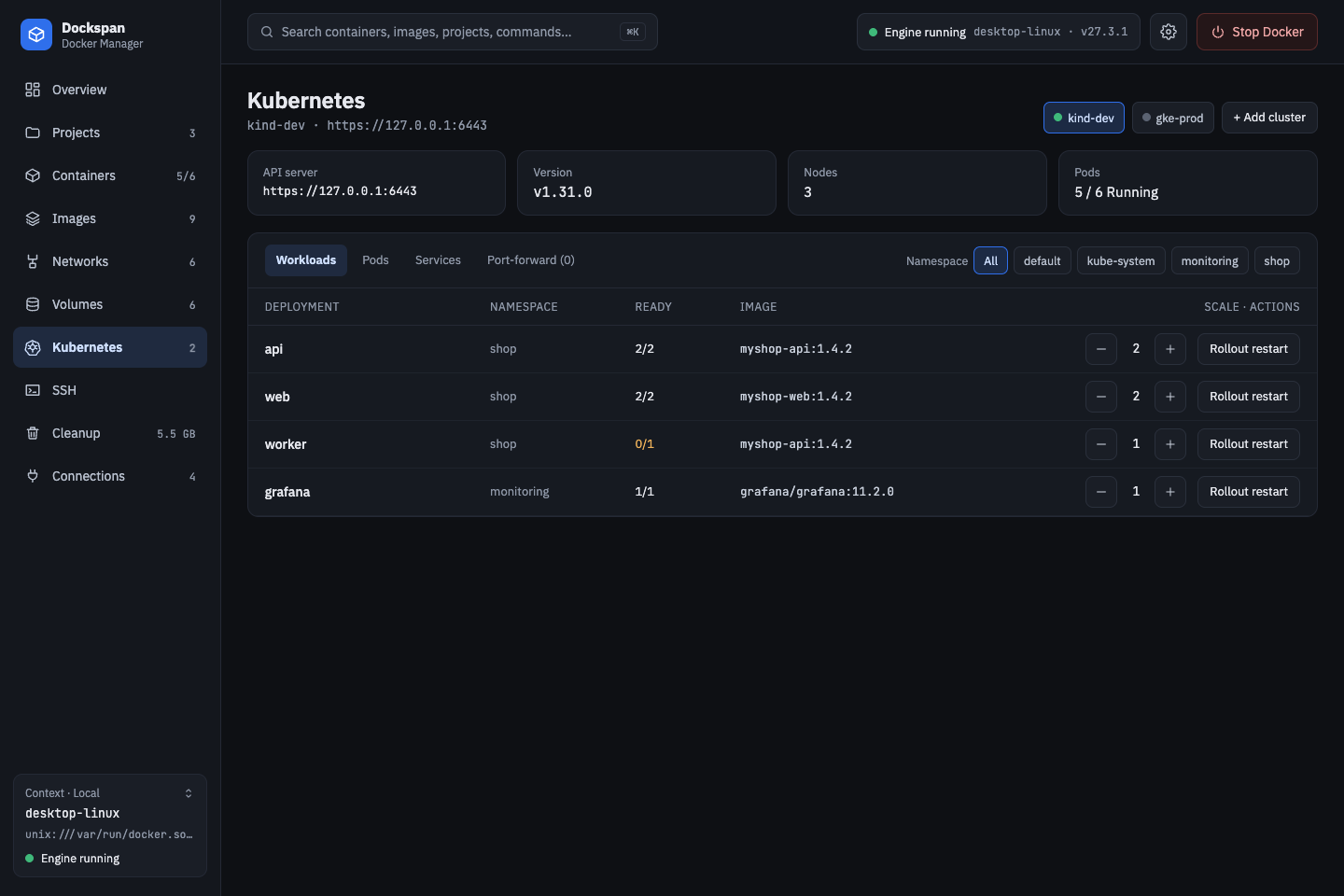
Your kubeconfig clusters, independent of the Docker engine.
- Deployments: scale and rollout restart.
- Pods: logs, exec terminal, plain-language failure explanations.
- Services and port-forward; lists update through watches.
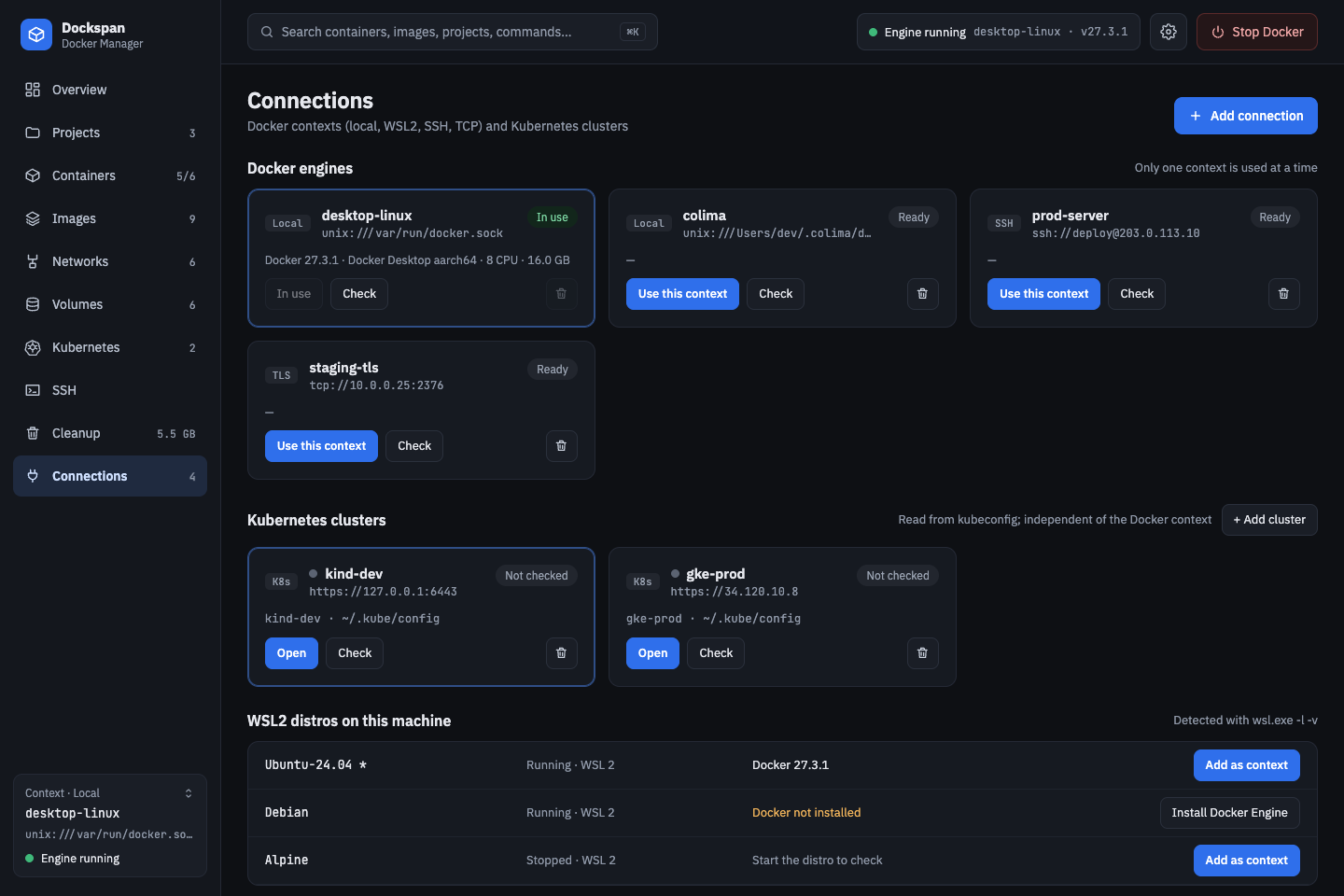
Connections
Switch between engines in one click.
- Local, SSH, TCP+TLS and WSL2 engines, stored as real docker contexts.
- Hosts picked from ~/.ssh/config, with ProxyJump and keys applied.
- WSL2 distros listed, with one-click Docker Engine install.
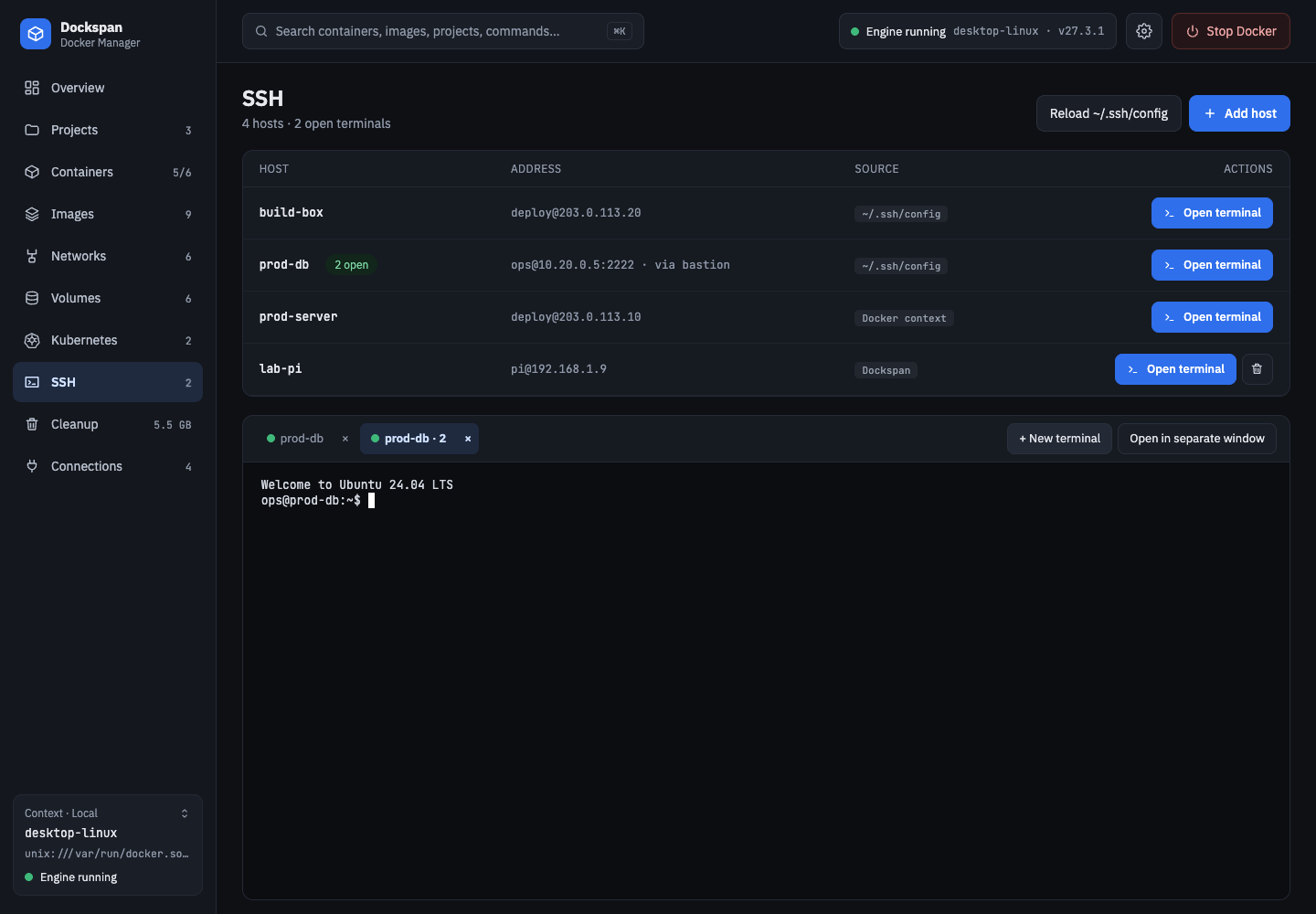
SSH terminals
A dedicated SSH page with real terminals.
- Any number of tabs per host, running the system ssh in a pseudo-terminal.
- Password prompts, vim/htop and resizing work.
- Detach to a separate window; reconnect ended sessions.
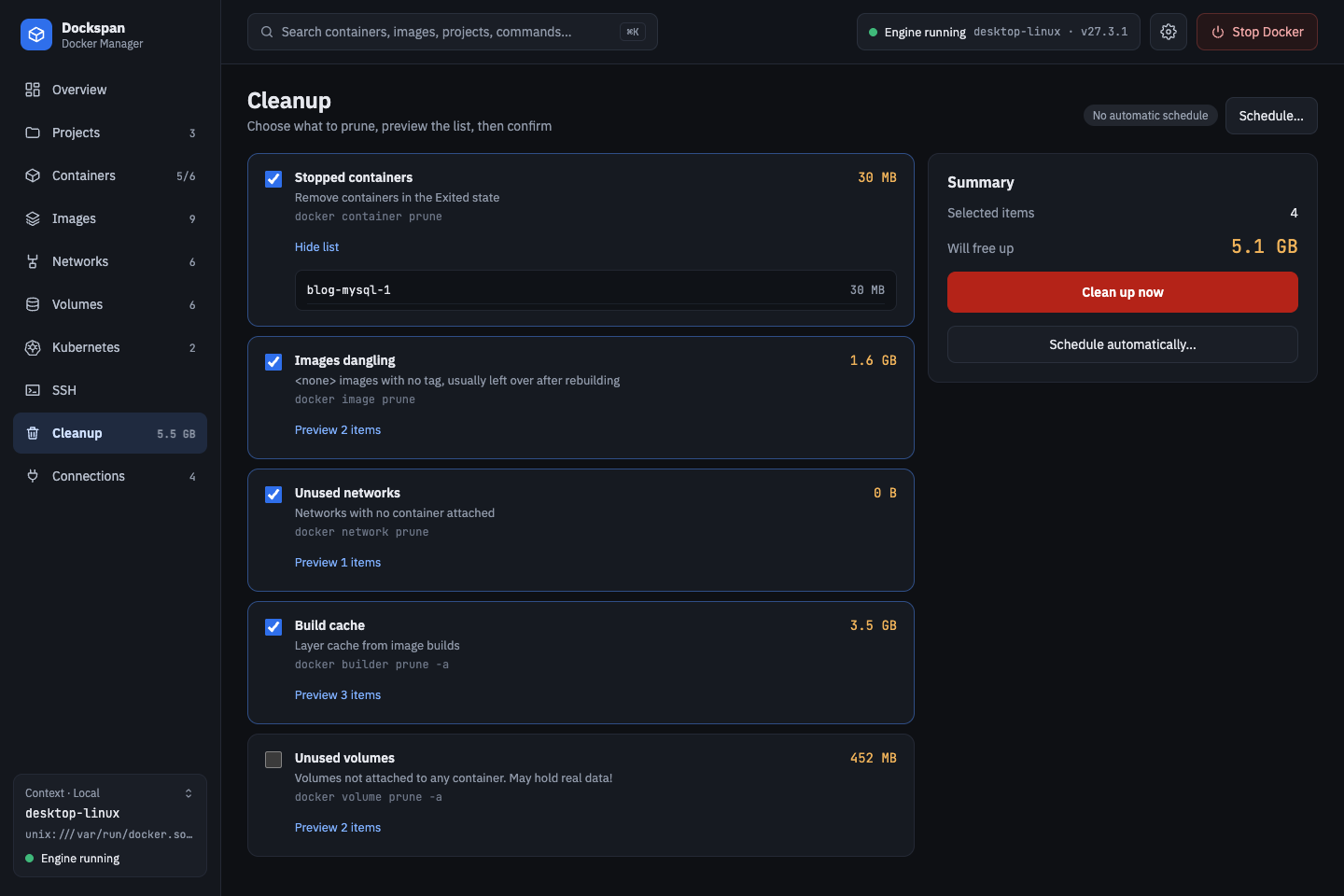
Cleanup
See what will be removed before anything is deleted.
- Preview unused images, networks, volumes and build cache.
- Clean on demand or on an automatic schedule.
- "In use" means any container, even a stopped one, references it.
And more
Get Dockspan
Download the latest build from GitHub Releases, or build from source.
Release builds coming soon (macOS, Windows, Linux).
Build from source
pnpm install
pnpm package